
On the Go Private beta

Welcome to R&C On the Go

R&C On the Go is a new app that enables the OR to call a Remote Expert securely from an iPhone or iPad. In just a few taps, you’re in a secure, peer-to-peer encrypted video or audio call with the expert you need, right when you need them. No special hardware, no delays.

Download On the Go
Bob, the Rods&Cones mascot, waving hello

You’re one of the first to try On the Go. We’ve invited your organisation into a private beta before opening the app more widely — your feedback will directly shape the next version.

Prefer to watch instead of read?

See On the Go in action in a short video that covers everything on this page.

Watch the video

Your first call in 3 steps

Download the app, then follow these steps.

1

Sign in with your company login

Open the app and tap Sign in. This opens your organization’s own login, so you use your usual company credentials. Multi-factor authentication and security policy come from your organization.
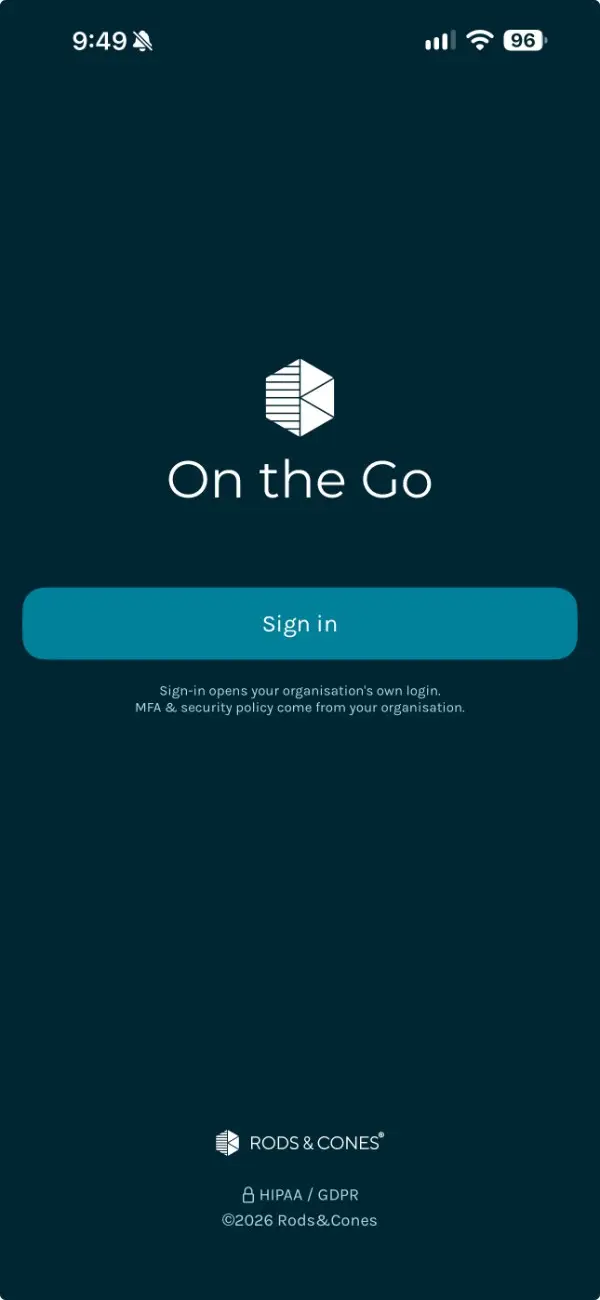
On the Go sign-in screen

SSO not enabled for you yet? Reach out to your Community Manager.
2

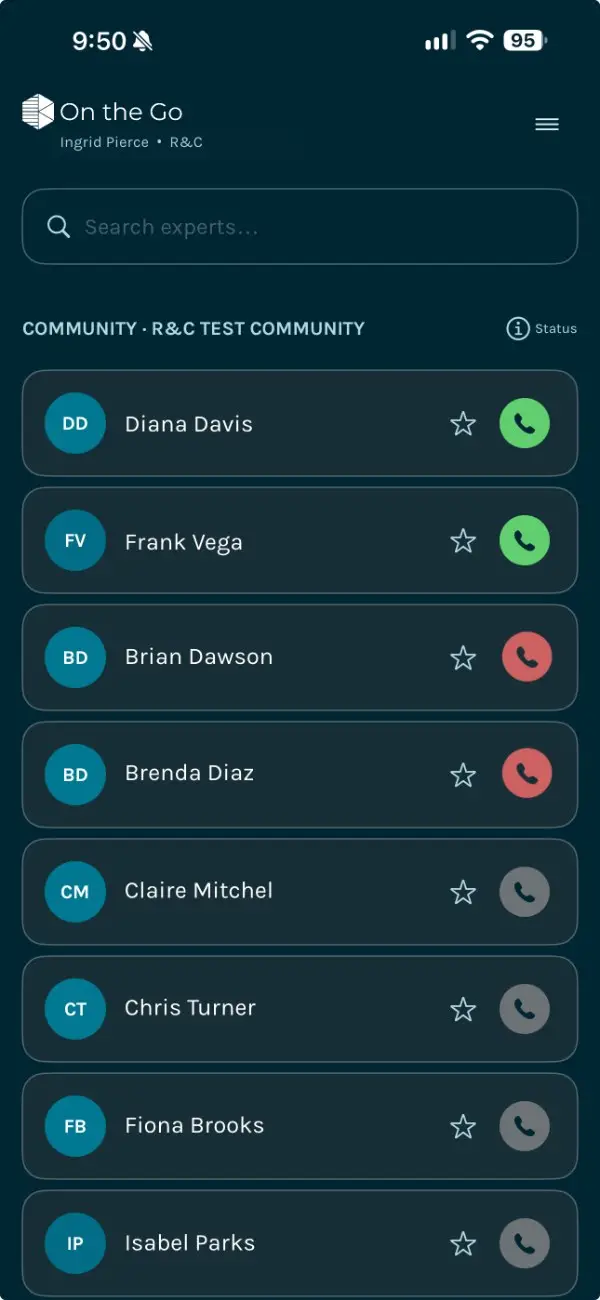
Tap who’s connected and call

Your address book is the first screen you see after signing in. Your Community Manager sets up which colleagues appear in it. Tap anyone who shows as Connected to start a secure audio or video call.

On the Go address book with community contacts and status dots
DisconnectedConnectedBusy

In this first version, you can call Remote Experts who are signed in to the Rods&Cones web or desktop app. Only experts who are signed in there show as Connected or Busy. If someone shows as Disconnected, they are not signed in to the web or desktop app.

3

Use the call

Once you’re connected, you can:

  • Talk by audio, tap the video icon to switch to video, and go full-screen.

  • Chat and send snapshots.

  • Draw on a still image to point something out.

  • Receive PDFs and images from your Remote Expert, viewable safely in the app.

On the Go active video call screen On the Go in-call chat and telestration screen On the Go in-app document viewer screen

Built HIPAA-first

Nothing can be exported, screenshotted, or left behind after the session ends. On the Go runs on your own phone, but none of it behaves like a normal app — session data doesn’t linger on the device once the call is over.

What’s coming next

  • Android support
  • Invite surgeons and other outside guests directly into a session
  • Plus richer features like call hunting, availability status, and expanded document sharing

R&C On the Go puts expert support in your pocket, wherever the case takes you — and it’s only going to get more capable from here.

Frequently asked questions

Do I need any extra hardware?

No. On the Go runs on your own iPhone or iPad — there’s no cart, camera or kit to set up.

Is patient information safe on my personal phone?

Yes. Calls are peer-to-peer encrypted and built HIPAA-first — nothing can be exported, screenshotted, or left behind after a session ends.

Who can I call?

You can call the experts your Community Manager has added to your address book. In this first version, you can call Remote Experts who are signed in to the Rods&Cones web or desktop app, so only experts who are signed in there show as Connected or Busy. If someone shows as Disconnected, they are not signed in to the web or desktop app.

What if I run into an issue during the beta?

Reach our CEC team any time at help@rods-cones.com — as a beta tester, your feedback is exactly what we’re looking for.

Bob, the Rods&Cones mascot, giving a thumbs up Download On the Go

Need help? Contact us at help@rods-cones.com

Ready to See More, Do More, Teach More?

© Rods&Cones 2026
The Netherlands – Belgium – Spain – USA

Talk to sales
